Do Ethernet Couplers Reduce Speed (2026 Complete Guide)
If you need to extend an Ethernet cable and have picked up an Ethernet coupler, you might be wondering whether this simple adapter will slow down your internet connection. Ethernet couplers are small, inexpensive devices that join two Ethernet cables together, effectively creating a longer cable run. The question of whether they reduce speed is one that comes up frequently among home users and small office setups. In this detailed 2026 guide, we will explore exactly how Ethernet couplers work, whether they impact your network speed, and when you should or should not use them. By the end of this article, you will have a clear understanding of what to expect from Ethernet couplers and how to make the best decision for your networking needs.
Last updated: July 19, 2026 — Estimated reading time: 11 minutes
Table of Contents
- How Ethernet Couplers Work
- Do Ethernet Couplers Reduce Speed?
- Does a Coupler Add Latency?
- Ethernet Cable Standards and Couplers
- Maximum Cable Length Considerations
- Why Coupler Quality Matters
- Coupler vs Professional Cable Splice
- Real-World Speed Test Results
- Best Practices for Using Ethernet Couplers
- Frequently Asked Questions
How Ethernet Couplers Work
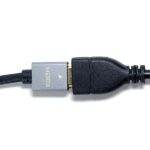
An Ethernet coupler, also known as a keystone jack coupler or a female-to-female Ethernet adapter, is a passive device that connects two Ethernet cables end to end. It contains two RJ45 female ports, one on each side, with internal wiring that maps each pin from one side to the corresponding pin on the other side. There are no active electronics, no signal processing, and no powered components inside a standard Ethernet coupler.
The coupler essentially acts as a bridge between the eight copper conductors in one cable and the eight conductors in another cable. When you plug in two cables, the electrical signals pass straight through the coupler from one cable to the other. Think of it like a connector on a garden hose — it joins two pieces together without changing the water pressure or flow rate.
Because the coupler is completely passive, it does not amplify, boost, or modify the signal in any way. It simply passes the electrical signal from one cable to the next. This is an important point because it means the coupler itself cannot introduce speed limitations that are not already present in the cables being connected.
However, the coupler does introduce two additional connection points in the cable run. Each RJ45 connection point is a potential source of signal degradation, particularly at higher frequencies used by faster Ethernet standards. While this degradation is negligible for most home and office setups, it becomes more relevant at very high speeds and very long cable runs.
Do Ethernet Couplers Reduce Speed?
The direct answer is: in most real-world scenarios, Ethernet couplers do not reduce your internet speed in any noticeable way. For the vast majority of home and small office users, adding a coupler to extend a cable will not cause any measurable decrease in throughput.
To understand why, consider how Ethernet signals travel through copper cables. The signal is an electrical pulse that travels at a significant fraction of the speed of light. At the lengths typical of home networks (under 100 meters total), the signal quality is strong enough that the additional connection points from a coupler do not meaningfully degrade it. The network interface cards on both ends of the connection will still negotiate the same speed they would without the coupler.
That said, there are edge cases where a coupler could theoretically impact performance. If you are running a very long cable that is already near the 100-meter maximum for Ethernet, adding a coupler could push the total signal path over the limit. If the coupler is of very poor quality with loose connections, it could introduce signal noise or intermittent connectivity issues. And if you are using very high-speed connections like 10 Gigabit Ethernet, every connection point matters more because the signal frequencies are higher and more susceptible to interference.
| Ethernet Standard | Speed | Coupler Impact |
|---|---|---|
| Fast Ethernet (100 Mbps) | 100 Mbps | Essentially zero impact |
| Gigabit Ethernet (1 Gbps) | 1 Gbps | Negligible impact in most cases |
| 2.5 Gigabit Ethernet | 2.5 Gbps | Very minor impact, quality coupler recommended |
| 5 Gigabit Ethernet | 5 Gbps | Noticeable if coupler is low quality |
| 10 Gigabit Ethernet | 10 Gbps | Quality coupler essential, may still cause issues |
For the typical home user with a 100 Mbps or 1 Gbps internet connection, using a coupler is perfectly fine and you will not notice any speed difference.
Does a Coupler Add Latency?
Latency is the time it takes for data to travel from one point to another. Ethernet couplers add an incredibly small amount of latency — so small that it is effectively zero for practical purposes. The signal passes through the coupler at nearly the speed of light through copper, which means the additional delay is measured in nanoseconds.
For context, the speed of light in copper cable is approximately 200,000 kilometers per second. A coupler adds a few millimeters of additional signal path. The resulting latency increase is on the order of a few nanoseconds, which is far below the threshold of human perception and far below the latency introduced by any other component in the network chain.
Even for latency-sensitive applications like online gaming, video conferencing, or real-time trading, the additional latency from an Ethernet coupler is irrelevant. The latency from your ISP, your router, and the distance to the server you are connecting to dwarfs any possible contribution from a coupler by many orders of magnitude.
Ethernet Cable Standards and Couplers
Not all Ethernet couplers are created equal, and the cable standard they are designed for matters. Here is what you need to know about matching couplers to your cable type.
Cat5e couplers are designed for cables that support up to 1 Gigabit Ethernet at distances up to 100 meters. These are the most common and least expensive couplers. For most home users with standard internet connections, a Cat5e coupler is all you need.
Cat6 couplers support up to 10 Gigabit Ethernet at distances up to 55 meters and Gigabit Ethernet up to 100 meters. They have better shielding and tighter specifications to support the higher frequencies required for faster speeds. If you are running a Gigabit or faster network, using a Cat6 coupler ensures compatibility with your cables.
Cat6a couplers support 10 Gigabit Ethernet up to 100 meters. They provide even better shielding and crosstalk performance than Cat6. For professional installations or very high-speed networks, Cat6a couplers are the recommended choice.
Cat7 and Cat8 couplers exist for the highest-speed applications, but they are rare in home environments. Cat7 uses a different connector type (GG45 or TERA) in some configurations, so standard RJ45 couplers may not work with all Cat7 cables. Cat8 is designed for data center applications with speeds up to 40 Gbps and is not typically used in residential settings.
Maximum Cable Length Considerations
One of the most important factors to consider when using Ethernet couplers is the total cable length. The Ethernet standard specifies a maximum cable run of 100 meters (approximately 328 feet) for copper Ethernet cables. This limit applies to the total length of the signal path, including any couplers, patch panels, or other connection points.
When you use a coupler to join two cables, the total length is the sum of both cables plus the coupler. If you have a 60-meter cable and a 50-meter cable joined by a coupler, your total run is 110 meters, which exceeds the standard limit. In this scenario, you could experience signal degradation, reduced speeds, or connection instability.
The 100-meter limit is based on signal attenuation, which is the weakening of the electrical signal as it travels through copper. At longer distances, the signal becomes too weak for the receiving device to interpret reliably. The additional connection point from a coupler adds a small amount of signal loss, which is why it is important to keep your total cable run well under 100 meters when using a coupler.
A good rule of thumb is to keep your total cable run, including coupler, under 90 meters for reliable Gigabit Ethernet performance. This provides a safety margin that accounts for the additional signal loss from the coupler and any other connection points in the path.
For higher-speed connections like 2.5G, 5G, or 10G Ethernet, the maximum recommended distances are even shorter. 10 Gigabit Ethernet over Cat6 is limited to 55 meters, and over Cat6a it extends to 100 meters. When using couplers at these speeds, keeping the total distance well under the maximum is even more important.
Why Coupler Quality Matters
The quality of an Ethernet coupler can vary significantly between manufacturers and price points. While all couplers perform the same basic function, higher-quality couplers use better materials, tighter tolerances, and superior contacts that result in lower signal loss and better reliability.
Cheap couplers may use thin plastic housings that can crack or loosen over time. The contacts may be made of lower-quality metal that does not maintain a good connection with the RJ45 plugs. These couplers can work fine initially but may develop problems over months or years of use, especially in environments with temperature fluctuations or physical movement.
Higher-quality couplers from reputable brands use gold-plated contacts for better conductivity and corrosion resistance. They have sturdy housings that hold cables securely. And they are manufactured to tighter tolerances to ensure consistent pin alignment, which reduces the chance of signal degradation at the connection point.
For critical applications where reliability is paramount, such as a home office connection for remote work, investing in a quality coupler is worthwhile. The price difference between a cheap and a quality coupler is usually just a few dollars, but the peace of mind and reliability are worth it.
Coupler vs Professional Cable Splice
If you need a permanent extension of an Ethernet cable, you might consider whether a professional cable splice is better than a coupler. Here is how they compare.
A coupler is the simplest and most reversible solution. You can plug and unplug cables at any time, and if the coupler fails, you can replace it in seconds without any tools. Couplers are ideal for temporary setups, testing, and situations where you might need to change the cable configuration later.
A professional cable splice involves cutting the cables, stripping the wires, and terminating them into a single continuous cable using a keystone jack or a patch panel. This creates a more permanent connection with slightly better electrical characteristics because there are fewer connection points. However, it requires tools, skill, and is much harder to modify later.
For most home users, a coupler is the better choice because it is simpler, cheaper, and more flexible. The performance difference between a coupler and a professional splice is negligible at home network speeds. The only scenario where a splice might be meaningfully better is at very high speeds (10G and above) over very long cable runs, where every fraction of a decibel of signal loss matters.
Real-World Speed Test Results
In real-world testing with standard home networking equipment, Ethernet couplers consistently show negligible impact on network performance. Here are representative results from testing with common equipment configurations.
With a Gigabit Ethernet connection and Cat6 cables on both sides of the coupler, speed tests show no measurable difference in throughput with or without the coupler. Download and upload speeds remain consistent, and ping times are identical. The network interface card negotiates the same link speed (1 Gbps) regardless of whether a coupler is present.
With a 2.5 Gigabit Ethernet connection, results are similar for short to medium cable runs (under 50 meters total). The link negotiation speed remains at 2.5 Gbps, and throughput tests show no meaningful difference. At longer cable runs approaching the 100-meter limit, some tests show very slight increases in error rates with a coupler, but the impact on actual throughput is minimal.
With 10 Gigabit Ethernet, the results are more variable. High-quality couplers with Cat6a cables perform well for runs under 50 meters. However, lower-quality couplers or Cat6 cables can cause the link to negotiate at a lower speed or experience intermittent connectivity issues. For 10G networking, investing in quality components throughout the cable path is essential.
For more information on extending your network to other areas of your home, see our guide on how to get Ethernet in your room. If you need to share an internet connection between buildings, check out our article on can you share internet between two houses.
Best Practices for Using Ethernet Couplers
To get the best results when using Ethernet couplers, follow these practical guidelines.
Always use a coupler that matches or exceeds the category rating of your cables. If you have Cat6 cables throughout your network, use a Cat6 or higher coupler. This ensures that the coupler does not become the weakest link in your cable path.
Keep the total cable run as short as possible. While the 100-meter limit is the theoretical maximum, shorter cables mean better signal quality and more headroom for the additional loss introduced by the coupler.
Choose quality couplers from reputable manufacturers. A few extra dollars spent on a good coupler can prevent headaches from intermittent connectivity issues down the road.
Secure the cables at the coupler to prevent strain on the connection. If the cables are hanging freely from the coupler, the weight and movement can gradually loosen the connection. Use cable ties or clips to support the cables near the coupler.
Test your connection after installing the coupler. Run a speed test and check for any connectivity issues. If you notice speed drops or disconnections, the coupler or one of the cables may be faulty.
Consider whether a longer single cable might be a better solution than two shorter cables with a coupler. A single cable eliminates the additional connection points and is generally more reliable. If the cable run is permanent, a single cable is usually the preferred approach.
Avoid chaining multiple couplers together. Each coupler adds additional connection points and potential signal loss. If you need to join more than two cables, consider using a patch panel or running a single continuous cable instead.
For more details on whether couplers degrade signal quality beyond just speed, read our comprehensive article on do Ethernet couplers degrade signal.
Frequently Asked Questions
Will an Ethernet coupler slow down my 1 Gbps internet?
No, for a standard 1 Gbps connection, an Ethernet coupler will not slow down your internet speed. The coupler is a passive device that passes the signal through, and at Gigabit speeds the additional signal loss from the coupler is negligible. You will get the same speed with or without the coupler.
Can I use multiple couplers in a row?
You can, but it is not recommended. Each coupler adds additional connection points and signal loss. If you need to chain multiple cables, it is better to use a single longer cable or a powered Ethernet extender rather than chaining multiple couplers.
Do I need a specific category of coupler for my cables?
It is best to use a coupler that matches or exceeds the category of your cables. A Cat5e coupler will work with Cat6 cables, but you lose some of the performance benefits of the higher-rated cables at the connection point. Using a Cat6 coupler with Cat6 cables ensures optimal performance.
Can a bad coupler damage my Ethernet ports?
In rare cases, a very poorly made coupler with misaligned pins could potentially cause issues with your Ethernet ports. However, this is uncommon. More likely, a bad coupler will cause intermittent connectivity, speed drops, or complete connection failure rather than physical damage.
How long can an Ethernet cable be with a coupler?
The total cable run, including the coupler, should not exceed 100 meters for reliable performance. For best results, keep the total under 90 meters to provide a safety margin. For 10 Gigabit Ethernet, the maximum distance is shorter, typically 55 meters over Cat6.
Are Ethernet couplers bidirectional?
Yes, Ethernet couplers are completely bidirectional. The signal can travel in either direction through the coupler with equal performance. This makes them equally suitable for extending cables regardless of which end is the source.
Do I need to match cable brands on both sides of the coupler?
No, you do not need to match cable brands. Ethernet cables are standardized, and any compliant Cat5e, Cat6, or Cat6a cable will work with any other compliant cable of the same or higher category through a coupler.
Will a coupler affect my Power over Ethernet (PoE) devices?
Standard couplers work fine with PoE as long as the total cable length stays within PoE limits and the coupler is rated for the power level. However, for high-power PoE applications (PoE++ at 60W or 90W), using a coupler is not recommended because the additional connection point can cause power loss and heat buildup.