How to Overclock Ryzen 7 3700X (2026 Complete Guide)
Last updated: July 19, 2026
Estimated reading time: 16 minutes
The AMD Ryzen 7 3700X remains one of the most popular processors in the used market in 2026, offering 8 cores and 16 threads at an affordable price point. While this processor came with excellent stock performance, there is still headroom for enthusiasts to extract additional performance through overclocking. However, overclocking the Ryzen 7 3700X requires a different approach than traditional overclocking, as AMD’s Zen 2 architecture pushes close to its limits out of the box. In this comprehensive guide, we will explore every aspect of overclocking the Ryzen 7 3700X, from traditional manual overclocking to AMD’s Precision Boost Overdrive (PBO) technology, helping you get the most performance from your processor safely.
Table of Contents
- Understanding the Ryzen 7 3700X
- Method 1: Precision Boost Overdrive (PBO)
- Method 2: Manual Overclocking
- Method 3: Curve Optimizer
- Memory and Infinity Fabric Overclocking
- Cooling Requirements
- Stability Testing
- Monitoring Your Overclock
- Frequently Asked Questions
Understanding the Ryzen 7 3700X
Before diving into overclocking, it is essential to understand the Ryzen 7 3700X’s architecture and default behavior. This processor is based on AMD’s Zen 2 architecture, manufactured on TSMC’s 7nm process, with a 65W TDP and a maximum boost clock of 4.4GHz on a single core.
The 3700X features 8 cores and 16 threads with 32MB of L3 cache. Its base clock is 3.6GHz, and it can boost up to 4.4GHz on single-core workloads. Under all-core loads, the processor typically boosts to around 4.0-4.2GHz depending on thermal conditions and power limits.
Understanding how AMD’s boost algorithm works is key to overclocking this processor. Unlike Intel’s fixed-ratio overclocking approach, AMD’s Zen 2 processors use a sophisticated algorithm that dynamically adjusts clock speeds based on workload, temperature, and power consumption. The processor will boost as high as conditions allow, up to the configured limits.
The 3700X comes with a Wraith Prism cooler, which is adequate for stock operation but may limit overclocking headroom. For serious overclocking, an aftermarket cooler is recommended. The thermal design of the Zen 2 chiplet architecture means that temperatures directly affect boost behavior, making cooling a critical factor in overclocking success.
Method 1: Precision Boost Overdrive (PBO)
Precision Boost Overdrive is AMD’s automated overclocking technology that pushes the processor beyond its stock power and current limits while maintaining the safety of AMD’s boost algorithms. This is the recommended overclocking method for most users.
What PBO Does:
PBO increases three key parameters beyond stock settings:
- PPT (Package Power Tracking): The total power allowed to the CPU package. Stock is 88W for the 3700X; PBO can increase this significantly.
- TDC (Thermal Design Current): The maximum sustained current from the voltage regulator. Stock is 60A; PBO raises this limit.
- EDC (Electrical Design Current): The maximum peak current the CPU can draw. Stock is 90A; PBO increases this as well.
By raising these limits, PBO allows the processor to boost higher and for longer durations, particularly on all-core workloads where the stock power limits would normally throttle performance.
How to Enable PBO:
- Restart your computer and enter BIOS by pressing Delete or F2 during boot
- Navigate to the Advanced or Overclocking section (location varies by motherboard manufacturer)
- Look for “Precision Boost Overdrive” or “PBO” settings
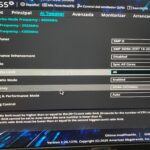
- Set PBO to “Enabled” or “Advanced”
- In Advanced mode, you can set PBO limits to “Motherboard” to let the motherboard determine the best limits, or manually configure PPT, TDC, and EDC values
- Save and exit BIOS
PBO vs Stock Performance:
With PBO enabled, you can expect 5-15% improvement in multi-threaded workloads where all cores are under heavy load. Single-core performance may see a small improvement as well, though the 3700X already boosts aggressively at stock. The improvement is most noticeable in sustained workloads like video rendering, compilation, and compression tasks.
For detailed instructions on enabling PBO, check out our comprehensive guide on how to turn on PBO which covers step-by-step BIOS configuration for various motherboard brands.
Method 2: Manual Overclocking
Manual overclocking involves setting a fixed clock speed and voltage, overriding AMD’s dynamic boost algorithm. While this approach provides predictable performance, it has some trade-offs with Zen 2 architecture.
The Trade-Off:
When you set a manual overclock, all cores run at the same fixed frequency regardless of workload. This means single-core workloads may actually perform worse than stock because the processor cannot boost to its maximum 4.4GHz on individual cores. However, all-core workloads benefit from higher consistent clock speeds across all cores.
How to Manually Overclock:
- Enter BIOS and navigate to the CPU frequency settings
- Set a fixed CPU core ratio. Start with 4.2GHz (multiplier of 42) as a safe starting point
- Set the CPU core voltage. Start with 1.25V and adjust based on stability testing
- Disable PBO and Core Performance Boost to prevent conflicts with manual settings
- Save and exit BIOS, then test for stability
Voltage and Frequency Guidelines:
| Clock Speed | Typical Voltage Needed | Difficulty | Notes |
|---|---|---|---|
| 4.1GHz | 1.15-1.20V | Easy | Achievable on most samples with stock cooling |
| 4.2GHz | 1.20-1.25V | Moderate | Requires good cooling; most chips can reach this |
| 4.3GHz | 1.25-1.35V | Difficult | Silicon lottery dependent; requires excellent cooling |
| 4.4GHz+ | 1.35V+ | Very Difficult | Rare; requires extreme cooling solution |
Method 3: Curve Optimizer
Curve Optimizer is an advanced feature available on Ryzen 3000 series processors that allows per-core voltage adjustments. This is one of the most effective ways to optimize Zen 2 performance, though it requires more testing than PBO or manual overclocking.
How Curve Optimizer Works:
Curve Optimizer adjusts the voltage-frequency curve for each core individually. By setting negative values, you reduce the voltage required for a given frequency, which lowers temperatures and allows the boost algorithm to push clocks higher. You can set values from -30 to +30 for each core, with negative values being the most common approach.
Applying Curve Optimizer:
- Enable PBO first, as Curve Optimizer works in conjunction with it
- In BIOS, navigate to the Curve Optimizer settings under the PBO or AMD Overclocking section
- Set all cores to a negative offset. Start with -10 as a conservative starting point
- Test for stability, then gradually increase the negative offset in increments of -5
- The maximum stable negative offset varies by chip; typical values are -15 to -25
Per-Core Optimization:
For maximum performance, you can optimize each core individually. Not all cores are created equal; some can handle more voltage reduction than others. You can identify your best and worst cores using tools like CoreCycler or by monitoring boost behavior in Ryzen Master. Apply more aggressive (more negative) offsets to your better cores and more conservative offsets to weaker cores.
Curve Optimizer combined with PBO typically provides better results than either method alone. The voltage reduction from Curve Optimizer creates thermal headroom, which PBO uses to boost higher. Many users report 3-8% additional performance improvement over PBO alone.
Memory and Infinity Fabric Overclocking
Memory overclocking is one of the most impactful performance improvements you can make on Ryzen 3000 series processors, often providing more real-world benefit than CPU core overclocking.
Infinity Fabric (FCLK):
The Infinity Fabric is AMD’s interconnect that links the CPU cores, memory controller, and other components. On Ryzen 3000 series, the FCLK runs at a 1:1 ratio with the memory clock (MCLK). For DDR4-3600 memory, this means the FCLK runs at 1800MHz, which is the sweet spot for Zen 2.
Optimal Memory Configuration:
For the Ryzen 7 3700X, DDR4-3600 with tight timings provides the best performance. The 1:1 FCLK ratio at 1800MHz is ideal, and DDR4-3600 is widely available at reasonable prices. Going beyond DDR4-3600 often requires running the FCLK at a 2:1 ratio, which introduces additional latency and may reduce performance despite the higher frequency.
Recommended Timings:
- CAS Latency (CL): 16-18 for DDR4-3600
- tRCD: 18-20
- tRP: 18-20
- tRAS: 36-40
For guidance on setting memory speeds, our guide on how to set your RAM to 3200MHz covers XMP/DOCP profile activation and manual memory configuration in BIOS.
Cooling Requirements
Overclocking the Ryzen 7 3700X requires adequate cooling to maintain stable boost clocks and prevent thermal throttling.
Stock Cooler (Wraith Prism):
The included Wraith Prism cooler can handle PBO with moderate settings, but it will struggle with aggressive overclocks. Under PBO, expect temperatures around 80-90°C under full load, which is within safe limits but leaves little headroom. For manual overclocks above 4.2GHz, an aftermarket cooler is strongly recommended.
Air Coolers:
A quality air cooler like the Noctua NH-D15, be quiet! Dark Rock Pro 4, or Scythe Fuma 2 provides excellent cooling for overclocked Ryzen 7 3700X builds. These coolers can keep temperatures under 75°C even with aggressive PBO settings, providing thermal headroom for the boost algorithm to work with.
Liquid Cooling:
A 240mm or larger AIO liquid cooler provides the best thermal performance, keeping temperatures well below 70°C under most loads. This thermal headroom allows PBO to boost higher and for longer durations. Custom loop cooling offers even better performance but is generally overkill for a 3700X.
| Cooler Type | Expected Temp (PBO) | Overclocking Headroom |
|---|---|---|
| Stock Wraith Prism | 80-90°C | Limited |
| Budget Air (Hyper 212) | 70-80°C | Moderate |
| High-End Air (NH-D15) | 60-70°C | Good |
| 240mm AIO | 55-65°C | Excellent |
| 360mm AIO | 50-60°C | Maximum |
If your GPU runs hot alongside your overclocked CPU, our guide on how to lower GPU temp provides tips for managing overall system temperatures.
Stability Testing
Once you have applied your overclock settings, thorough stability testing is essential to ensure your system is reliable.
CPU Stress Testing:
- Cinebench R23: Run the multi-core and single-core tests multiple times. If the system completes all runs without crashing, the overclock is初步 stable
- Prime95: Run the Small FFTs test for at least 30 minutes. This is one of the most demanding CPU stress tests available. Watch for worker errors or system crashes
- AIDA64: Run the CPU, FPU, and cache stress tests for 1-2 hours. This test provides a good balance of thoroughness and practical testing time
- CoreCycler: Specifically tests each core individually, which is essential for Curve Optimizer stability testing
Memory Stress Testing:
- MemTest86: Boot from USB and run at least 4 full passes. This is the gold standard for memory stability testing
- TestMem5 (TM5) with anta777 Extreme profile: Run for at least 1 hour. This test is highly effective at catching memory instability
- OCCT: Use the memory test for an additional validation pass
Real-World Testing:
After passing synthetic stress tests, use your system normally for a few days. Play games, run your regular workloads, and monitor for any crashes or anomalies. Instability can sometimes only manifest in specific real-world scenarios that synthetic tests do not cover.
Monitoring Your Overclock
Proper monitoring during and after overclocking helps you verify performance gains and maintain system health.
AMD Ryzen Master:
AMD’s official utility provides real-time monitoring of CPU clock speeds, voltages, temperatures, and power consumption. It also allows you to adjust overclocking settings from within Windows, making it useful for quick adjustments and monitoring.
HWiNFO64:
This comprehensive hardware monitoring tool provides detailed information about every aspect of your system. Monitor CPU Package Power, per-core clock speeds, voltages, and temperatures. The sensor logging feature allows you to record data over time for analysis.
Key Metrics to Watch:
- CPU Package Temperature: Should stay below 85°C under full load for daily use
- CPU Core Voltage (SVI2 TFN): The most accurate voltage reading for Zen 2. Should not exceed 1.35V for daily use
- CPU Package Power: Monitor to ensure power consumption stays within acceptable limits
- Per-Core Clock Speeds: Verify that cores are boosting to expected frequencies
Frequently Asked Questions
Is overclocking the Ryzen 7 3700X worth it in 2026?
It depends on your use case. PBO provides a free 5-15% performance boost in multi-threaded workloads with minimal risk, making it worthwhile for most users. Manual overclocking is less recommended because the 3700X already boosts aggressively at stock, and manual OC can reduce single-core performance. For the best value, enable PBO and optimize your memory instead.
Does overclocking the Ryzen 7 3700X void the warranty?
AMD’s official policy states that damage caused by overclocking is not covered under warranty. However, using AMD’s built-in features like PBO is generally considered safe and within AMD’s intended use. Manual overclocking with custom voltages carries more risk. If you are concerned about warranty, stick to PBO and memory overclocking.
What is the maximum safe voltage for the Ryzen 7 3700X?
AMD recommends not exceeding 1.325V for daily use on Zen 2 processors. Some enthusiasts push to 1.35V, but this may cause long-term degradation. The SVI2 TFN sensor in HWiNFO64 provides the most accurate voltage reading. Always monitor this value under load, as voltage can droop or spike depending on the load type.
Should I overclock CPU or RAM first on Ryzen?
Memory overclocking first, particularly getting DDR4-3600 running with tight timings, typically provides more performance improvement than CPU overclocking on Ryzen 3000 series. The Infinity Fabric frequency, which is linked to memory speed, has a significant impact on overall system performance. Start with memory, then enable PBO for the CPU.
Why does my Ryzen 7 3700X boost higher at stock than with manual overclock?
This is normal behavior for Zen 2 processors. At stock, the CPU can boost individual cores to 4.4GHz for light single-threaded workloads. When you set a manual all-core overclock of, say, 4.2GHz, all cores run at that fixed frequency, preventing any core from reaching 4.4GHz. For workloads that rely on single-core performance, manual overclocking can actually reduce performance.
What cooler do I need for overclocking the Ryzen 7 3700X?
For PBO, the stock Wraith Prism cooler is adequate but will run warm. An aftermarket tower cooler like the be quiet! Dark Rock 4 or Noctua NH-U12S provides a good balance of performance and value. For manual overclocking above 4.2GHz, a high-end air cooler or 240mm+ AIO is recommended to maintain stable temperatures.
How do I know if my overclock is stable?
A stable overclock passes extended stress testing without crashes, blue screens, or errors. Run Cinebench R23 multi-core loop for 30 minutes, Prime95 Small FFTs for 30 minutes, and MemTest86 for 4+ passes. Additionally, use your system normally for a few days. If you experience no crashes or anomalies during regular use, your overclock is stable.
Can I damage my Ryzen 7 3700X by overclocking?
Modern processors have multiple built-in protection mechanisms that prevent damage from overclocking. The CPU will throttle down or shut off if it detects dangerous temperatures or voltages. However, running excessively high voltages (above 1.4V) for extended periods can cause gradual degradation over time. Stay within recommended voltage limits and monitor temperatures to ensure long-term reliability.
What BIOS settings should I change for the Ryzen 7 3700X?
For most users, the essential BIOS changes are: Enable DOCP/XMP for your RAM to run at its rated speed, enable PBO, and set PBO limits to “Motherboard.” For advanced users, also enable Curve Optimizer with a conservative negative offset (-10 to -15) and fine-tune from there. Update your BIOS to the latest version before overclocking for the best compatibility and stability.