Can You Use ECC RAM in Non-ECC Motherboard (2026 Complete Guide)
Last updated: July 19, 2026
Estimated reading time: 14 minutes
Error Correction Code (ECC) RAM has long been a staple in servers and workstations where data integrity is paramount. But what happens when you try to use this specialized memory in a standard consumer motherboard that was not designed for it? Whether you have acquired some surplus ECC RAM from a server upgrade, or you are considering ECC for a workstation build and want to understand compatibility, this guide covers everything you need to know about using ECC RAM in non-ECC motherboards. In 2026, with RAM prices fluctuating and ECC modules sometimes available at competitive prices, this is a question that comes up frequently among PC builders looking to optimize their memory purchases.
Table of Contents
- What Is ECC RAM?
- How ECC Works
- ECC RAM in Non-ECC Motherboards
- AMD vs Intel ECC Support
- Buffered vs Unbuffered ECC
- Potential Risks and Issues
- When ECC RAM Is Worth It
- Frequently Asked Questions
What Is ECC RAM?
ECC (Error Correction Code) RAM is a type of memory that can detect and correct single-bit memory errors in real time. It includes additional memory chips that store parity data, allowing the system to verify the integrity of data stored in the memory. This extra layer of protection is critical in environments where even a single bit flip can cause data corruption, system crashes, or incorrect calculations.
Memory errors occur naturally due to cosmic rays, electrical interference, and manufacturing imperfections. While these errors are rare on consumer systems, they can accumulate over time and affect system reliability. ECC RAM addresses this by using algorithms that can detect when a bit has changed and correct it before it causes problems.
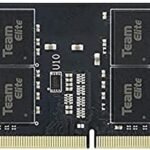
ECC RAM modules have 9 memory chips per side (for 72 total data bits per 64-bit word) instead of the 8 chips found in standard non-ECC RAM. The additional chip stores the error correction code data. This is why ECC modules are physically compatible with standard RAM slots but require motherboard support to function properly.
ECC RAM is most commonly found in servers, workstations, and enterprise environments where data integrity is critical. Financial institutions, scientific computing facilities, medical systems, and any environment where incorrect data could have serious consequences rely on ECC memory to ensure accuracy.
How ECC Works
Understanding how ECC error correction works helps explain why it matters and why non-ECC motherboards cannot take advantage of it.
Single-Bit Error Correction:
ECC memory can detect and correct any single-bit error that occurs within a 64-bit word. This means if one bit flips from 0 to 1 or vice versa due to a cosmic ray or electrical interference, the ECC algorithm can identify exactly which bit changed and restore it to its correct value. This correction happens transparently, with no impact on system performance or data integrity.
Multi-Bit Error Detection:
In addition to correcting single-bit errors, ECC can detect (but not correct) two-bit errors within the same 64-bit word. When a two-bit error is detected, the system will flag it as a critical error and may halt operation to prevent data corruption. While two-bit errors are extremely rare, the ability to detect them provides an additional safety net.
The Hamming Code Algorithm:
Most ECC implementations use a modified Hamming code algorithm. This mathematical algorithm generates check bits (the extra bits stored in the ninth chip) based on the data bits. By comparing the stored check bits with freshly calculated check bits, the system can identify and correct errors. The algorithm is efficient enough to add minimal overhead while providing robust error protection.
The error correction process adds a small amount of latency to memory operations, typically 1-2 nanoseconds. This performance impact is negligible for most applications but is a factor in high-performance computing scenarios where every nanosecond counts.
ECC RAM in Non-ECC Motherboards
The compatibility of ECC RAM in non-ECC motherboards depends on several factors, and the results vary significantly between different systems.
Physical Compatibility:
ECC DIMMs have the same physical form factor as non-ECC DIMMs. DDR4 ECC modules fit in DDR4 slots, and DDR5 ECC modules fit in DDR5 slots. The pin layout is identical, so ECC modules will physically insert into any compatible motherboard slot. The additional ninth chip on ECC modules does not affect physical compatibility.
Electrical Compatibility:
The electrical interface is the same between ECC and non-ECC memory. Both use the same voltage levels, signaling protocols, and timing parameters. The motherboard’s memory controller communicates with ECC modules using the same protocols it uses for non-ECC modules. The difference lies in whether the controller can interpret and use the error correction data.
| Scenario | Likely Outcome | ECC Functionality |
|---|---|---|
| ECC RAM in non-ECC desktop board | System boots, RAM works in non-ECC mode | Disabled |
| ECC RAM in non-ECC laptop | System may boot or may not recognize the RAM | Disabled or non-functional |
| ECC RAM in ECC-capable motherboard (BIOS set to non-ECC) | System boots, RAM works in non-ECC mode | Disabled |
| ECC RAM in ECC-capable motherboard (BIOS set to ECC) | System boots with ECC enabled | Fully functional |
If you are building a system and need to check whether your motherboard supports ECC, our guide on how to check RAM compatibility with motherboard provides detailed instructions for verifying memory support.
AMD vs Intel ECC Support
AMD and Intel have very different approaches to ECC support, and understanding these differences is crucial for anyone considering ECC RAM.
AMD ECC Support:
AMD has historically been more open to ECC support on consumer platforms. Most AMD Ryzen processors support ECC memory when paired with an appropriate motherboard. However, ECC functionality depends on the motherboard chipset:
- X570/X670E: Full ECC support when the motherboard manufacturer enables it
- B550/B650: ECC support varies by manufacturer; check the motherboard specifications
- A520/A620: Generally supports ECC, but functionality depends on the specific board
AMD’s approach is to enable ECC at the processor level, with motherboard manufacturers deciding whether to enable it in BIOS. This means you need to verify that both your AMD CPU and motherboard support ECC for full functionality.
Intel ECC Support:
Intel restricts ECC support to their Xeon processor line and specific server/workstation chipsets. Consumer Core i3/i5/i7/i9 processors do not support ECC, even when paired with a motherboard that might physically accept ECC modules. Intel’s approach ensures a clear product segmentation between consumer and enterprise offerings.
Intel chipsets that support ECC include the C-series (C236, C242, C246, C262, C266) and W-series (W480, W580, W680) designed for workstations. If you want ECC on an Intel platform, you must use both a Xeon processor and a compatible workstation or server motherboard.
If you are looking to configure your RAM speed and timings, our guide on how to set your RAM to 3200MHz covers BIOS configuration basics that apply to any memory type.
Buffered vs Unbuffered ECC
There are two main types of ECC RAM, and they are not interchangeable with each other or with standard non-ECC memory.
Unbuffered ECC (UDIMM):
Unbuffered ECC is the type most commonly used in workstations and some server applications. It has the same physical dimensions as standard non-ECC UDIMMs and uses the same slot type. This is the type of ECC RAM that can physically fit in consumer motherboard slots. However, the motherboard must support ECC for the error correction to function.
Registered/Buffered ECC (RDIMM):
Registered ECC modules include a register chip that buffers the address and command signals between the memory controller and the DRAM chips. This allows for higher memory capacities and better signal integrity but is incompatible with consumer motherboards. RDIMMs use different slot types and require server or workstation motherboards with appropriate memory controllers.
Load-Reduced ECC (LRDIMM):
LRDIMMs go a step further by buffering both address/command and data signals. They can achieve even higher capacities than RDIMMs but are also only compatible with server and workstation platforms.
| Type | Fits Consumer Slots | Max Capacity | Primary Use |
|---|---|---|---|
| Non-ECC UDIMM | Yes | 32GB per module | Consumer desktops/laptops |
| ECC UDIMM | Yes (with compatible motherboard) | 32GB per module | Workstations |
| ECC RDIMM | No | 64GB+ per module | Servers |
| ECC LRDIMM | No | 128GB+ per module | High-density servers |
Potential Risks and Issues
While using ECC RAM in a non-ECC motherboard is generally safe, there are potential issues to be aware of.
Compatibility不确定性:
Not all motherboards will boot with ECC RAM installed. Some BIOS implementations may not recognize ECC modules or may refuse to boot with them. The behavior varies by motherboard manufacturer and BIOS version. Testing before committing to ECC RAM for your build is recommended.
No ECC Benefit:
When ECC RAM operates in non-ECC mode, you lose the primary benefit of ECC memory: error correction. The RAM will function like regular non-ECC memory, providing no additional data integrity protection. You may pay a premium for ECC modules without gaining any advantage.
Potential Performance Impact:
Some users report slight performance differences when using ECC RAM in non-ECC mode, though this is generally not measurable in real-world usage. The memory controller may handle ECC modules slightly differently, but any performance impact is negligible for most applications.
BIOS Settings:
You may need to adjust BIOS settings to use ECC RAM in a non-ECC motherboard. Some BIOS implementations have an ECC enable/disable option that needs to be set appropriately. Consult your motherboard manual for specific instructions.
Before mixing different RAM types in your system, check our guide on can I mix 2666MHz and 3200MHz RAM to understand the implications of combining different memory modules.
When ECC RAM Is Worth It
ECC RAM is valuable in specific scenarios where data integrity is critical.
Professional Workstations:
If you work with financial modeling, scientific calculations, engineering simulations, or any application where incorrect data could lead to wrong conclusions or financial losses, ECC provides peace of mind. The cost of ECC memory is small compared to the potential cost of corrupted data.
Server Applications:
Servers that process critical data, host important services, or manage databases benefit significantly from ECC memory. The error correction prevents data corruption that could affect multiple users or services simultaneously.
Long-Running Systems:
Systems that run continuously for long periods, such as home servers, media servers, or development workstations, accumulate more opportunities for memory errors. ECC prevents these errors from accumulating and eventually causing problems.
Data Integrity Critical Tasks:
Tasks like RAID array management, cryptographic operations, and scientific computing require absolute data accuracy. ECC ensures that the data being processed is exactly what was intended, with no bit-level errors.
For overclockers who want to push their RAM performance, our guide on how to set your RAM to 3200MHz covers memory configuration that maximizes performance with standard non-ECC modules.
Frequently Asked Questions
Will ECC RAM work in a non-ECC motherboard?
In most cases, ECC RAM will physically fit and may work in a non-ECC motherboard, but the ECC functionality will be disabled. The RAM will operate in standard non-ECC mode. However, some motherboards may not boot at all with ECC modules, as BIOS compatibility varies between manufacturers. Test before purchasing if ECC functionality is important to you.
Is ECC RAM slower than non-ECC RAM?
At the same clock speed and timings, ECC RAM performs identically to non-ECC RAM for most workloads. The error correction adds a small amount of latency (typically 1-2 nanoseconds), which is negligible for virtually all applications. In practice, you will not notice any performance difference between ECC and non-ECC RAM at the same specifications.
Can I mix ECC and non-ECC RAM in the same system?
It depends on your motherboard. Some motherboards that support ECC will allow mixed ECC and non-ECC modules, but the ECC functionality will be disabled across all modules when non-ECC RAM is present. Most consumer motherboards that do not support ECC will not allow mixing ECC and non-ECC modules. Consult your motherboard manual for specific compatibility information.
How do I know if my motherboard supports ECC?
Check your motherboard’s specifications on the manufacturer’s website or in the manual. Look for mentions of “ECC support” or “ECC memory” in the memory specifications section. For AMD platforms, also verify that your processor supports ECC, as the CPU must also be ECC-compatible. Intel users need both a Xeon processor and a compatible chipset for ECC support.
Is ECC RAM worth the extra cost for home users?
For most home users, ECC RAM is not necessary. Gaming, web browsing, media consumption, and general productivity do not benefit significantly from ECC. However, if you run a home server, do professional work that requires data accuracy, or simply want the peace of mind that your system is protected against memory errors, ECC is a worthwhile investment.
Can ECC RAM prevent blue screens?
ECC RAM can prevent blue screens that are caused by memory errors, which account for a portion of system crashes. However, ECC cannot prevent blue screens caused by driver issues, hardware failures, software bugs, or other non-memory-related problems. It is one piece of the reliability puzzle, not a complete solution.
Do all DDR5 motherboards support ECC?
DDR5 specifications include on-die ECC, which is a form of error correction built into every DDR5 module. This is different from traditional ECC and does not require motherboard support. However, traditional end-to-end ECC (like server-grade ECC) still requires specific motherboard and CPU support. DDR5’s on-die ECC provides basic error correction for all DDR5 users, regardless of motherboard support.
What is the difference between ECC and non-ECC RAM price?
ECC RAM typically costs 10-30% more than equivalent non-ECC RAM. However, prices vary based on market conditions, availability, and specific configurations. Server-grade ECC RAM, especially RDIMM and LRDIMM types, can be significantly more expensive due to their additional features and higher density capabilities.