Why Is My Power Supply Making Noise (2026 Complete Guide)
Last updated: July 19, 2026 | Estimated reading time: 12 minutes
A strange noise coming from your computer can be alarming, especially when it seems to originate from the power supply unit (PSU). PSU noise is one of the most common complaints among PC users in 2026, and while some sounds are completely harmless, others can signal a serious problem that could damage your entire system. Whether you are hearing a buzzing hum, a clicking rattle, or a high-pitched whine, understanding the root cause is essential for determining whether you need to take action or simply ignore it. In this comprehensive guide, we will walk you through every possible cause of power supply noise, how to diagnose the issue, and what you can do to fix it permanently.
Table of Contents
- Understanding PSU Noise in 2026
- Types of PSU Noise and What They Mean
- Coil Whine: The Most Common Culprit
- Fan Noise and Bearing Failure
- Electrical Hum and Buzzing
- Clicking and Rattling Sounds
- Capacitor Whine and Aging Components
- How to Diagnose Your PSU Noise
- How to Fix PSU Noise Step by Step
- Preventing PSU Noise in the Future
- When to Replace Your Power Supply
- Frequently Asked Questions
Understanding PSU Noise in 2026
Modern power supplies in 2026 are more efficient than ever, with 80 Plus Titanium ratings becoming increasingly common. However, efficiency does not always equate to silence. The internal components of a PSU, including transformers, inductors, capacitors, and cooling fans, all have the potential to produce noise under certain conditions. Understanding that a PSU is not a solid-state device is important. Unlike your CPU or GPU, a power supply contains mechanical parts and electromagnetic components that naturally generate some level of noise during operation.
The amount and type of noise you hear depends on several factors: the quality of your PSU, its age, the load placed on it, the ambient temperature of your room, and even the surface it sits on. A high-quality PSU from a reputable brand will generally operate much more quietly than a budget unit, but even premium power supplies can develop noise issues over time. The key is knowing what is normal and what is a warning sign.
Types of PSU Noise and What They Mean
Not all PSU noises are created equal. Each type of sound can indicate a different underlying issue, and identifying the specific noise you are hearing is the first step toward fixing it. Here is a breakdown of the most common PSU noises and their likely causes:
| Noise Type | Description | Likely Cause | Severity |
|---|---|---|---|
| Coil Whine | High-pitched buzzing or squealing | Electromagnetic vibration in coils | Low (cosmetic) |
| Fan Rattle | Clicking or rattling sound | Worn fan bearings or obstruction | Medium |
| Electrical Hum | Low-frequency humming | Transformer vibration or poor grounding | Low to Medium |
| Capacitor Whine | Subtle high-pitched tone | Aging or low-quality capacitors | Medium to High |
| Clicking | Intermittent sharp clicks | Failing fan or loose component | High |
| Buzzing | Loud persistent buzzing | Loose transformer or failing VRM | High |
Coil Whine: The Most Common Culprit
Coil whine is by far the most frequently reported PSU noise, and it is usually harmless. This high-pitched buzzing or squealing sound is caused by electromagnetic vibrations in the coils or inductors inside your power supply. When electrical current passes through these components, the magnetic field causes the coils to vibrate at audible frequencies. The pitch and intensity of coil whine can vary depending on the load on your PSU, and you may notice it becomes more pronounced when your system is under heavy load, such as during gaming or rendering tasks.
Coil whine is largely a cosmetic issue and does not indicate any danger to your components. Some users find it annoying, particularly in quiet environments, but it will not cause your PSU to fail or damage other parts of your system. Interestingly, coil whine can be influenced by your GPU usage as well. Some graphics cards produce coil whine that is transmitted through the PSU due to shared power delivery. If you notice the whine changes pitch when your frame rate changes, it is almost certainly coil whine from either the PSU or the GPU.
Fan Noise and Bearing Failure
The cooling fan inside your PSU is a mechanical component that can degrade over time. Most PSU fans use either sleeve bearings or fluid dynamic bearings, and both types can develop noise as they age. Sleeve bearing fans are particularly prone to noise after a few years of use because the lubricant gradually evaporates, causing increased friction between the bearing surfaces.
If you hear a grinding, rattling, or clicking sound from your PSU, the fan bearings are likely wearing out. This is a more serious issue than coil whine because a failing fan can lead to inadequate cooling, which may cause your PSU to overheat and potentially fail prematurely. In some cases, a foreign object such as a loose screw or a cable may have come into contact with the fan blades, causing a similar noise. Always check for obstructions before assuming the worst.
The fan in your PSU typically does not run at full speed all the time. Modern PSUs use temperature-based fan curves that keep the fan spinning slowly under low loads and ramp up the speed as temperatures increase. You may notice the fan noise comes and goes as your system load changes, which is perfectly normal behavior for a PSU with variable fan speed control.
Electrical Hum and Buzzing
A low-frequency electrical hum is another common PSU noise, particularly in units with larger transformers. This hum is caused by the physical vibration of the transformer laminations as alternating current flows through them. While this is a normal characteristic of power supplies, excessive humming can indicate a problem with the power quality from your wall outlet or an issue with the PSU itself.
If the hum is noticeable only when you place your ear very close to the PSU, it is likely normal and not cause for concern. However, if the hum is loud enough to be heard from across the room, or if it has recently become louder, it could indicate a failing component inside the PSU. Poor grounding in your home electrical system can also cause increased humming in your PSU. Try plugging the computer into a different outlet, preferably on a different circuit, to see if the hum decreases.
Clicking and Rattling Sounds
Clicking and rattling sounds from a PSU should always be taken seriously. Unlike coil whine or subtle electrical hum, these sounds typically indicate a mechanical problem that could lead to PSU failure. The most common cause of clicking is a fan blade hitting something, such as a loose wire or a deformed blade. Rattling can also be caused by loose internal components or a failing fan bearing that has developed excessive play.
In rare cases, a clicking sound can indicate a failing capacitor or a problem with the power delivery circuitry. If you hear intermittent clicks that do not correspond to any particular system activity, it is best to stop using the PSU and test with a different unit if possible. A clicking PSU that is also experiencing other symptoms such as random shutdowns, system instability, or a burning smell should be replaced immediately to avoid damage to your other components.
Capacitor Whine and Aging Components
Capacitors inside your PSU can produce a subtle high-pitched whine as they age, particularly in lower-quality units. This is sometimes referred to as capacitor啸叫 in technical communities. The whine is caused by the piezoelectric effect in ceramic capacitors, where the capacitor physically vibrates as it charges and discharges at high frequencies.
Cheap electrolytic capacitors are particularly susceptible to this issue and tend to develop it more quickly than high-quality Japanese-made capacitors. If your PSU is more than five years old and has started producing a capacitor whine that was not present when it was new, it may be a sign that the capacitors are degrading. While this does not mean imminent failure, it is a good indication that the PSU is aging and should be monitored closely or replaced during your next upgrade.
How to Diagnose Your PSU Noise
Properly diagnosing PSU noise requires a systematic approach. Start by identifying exactly what type of noise you are hearing and when it occurs. Does the noise happen only under heavy load, or is it constant? Does it change pitch or volume based on what your computer is doing? These observations will help narrow down the cause.
The first step in diagnosis is to isolate the PSU from other components. Open your case and carefully listen with the side panel removed. Use a cardboard tube or a rolled-up piece of paper held near different parts of the PSU to help pinpoint where the noise is coming from. Be careful not to insert anything into the PSU or touch any internal components while the system is powered on.
If you suspect the fan is the source of the noise, you can use software monitoring tools to check the PSU fan speed if your PSU supports it. Some high-end PSUs connect to the motherboard via a USB header and allow you to monitor fan speeds and temperatures through software. For PSUs without this feature, you will need to rely on physical observation. Check that no cables are interfering with the fan blades and that the PSU vents are clear of dust and debris.
How to Fix PSU Noise Step by Step
The fix for PSU noise depends entirely on the type and cause of the noise. Here are the most effective solutions organized by problem type:
For coil whine, there is no guaranteed fix, but you can try reducing the load on your PSU by enabling power-saving features in your BIOS and operating system. Some users report that replacing the PSU with a different model from a different manufacturer eliminates coil whine, as the component layout and quality vary between brands. If the coil whine is coming from your GPU and being transmitted through the PSU, adjusting your frame rate cap or enabling V-Sync may reduce it.
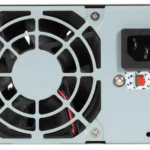
For fan noise, start by cleaning the fan and PSU vents with compressed air. Dust accumulation is the number one cause of increased fan noise. If cleaning does not help and the bearings are worn, you can replace the fan if you are comfortable with electronics repair, or replace the entire PSU if the fan is not user-serviceable. Some PSU fans use proprietary connectors that make replacement difficult.
For electrical hum, try plugging your PSU into a different wall outlet or using a UPS (uninterruptible power supply) to clean up the power delivery. A UPS with active power conditioning can significantly reduce electrical noise from your mains power. If the hum is coming from inside the PSU, there is little you can do beyond replacing it.
For clicking and rattling, check for loose cables or obstructions near the fan. If nothing is visibly wrong, the fan itself may need replacement. For capacitor whine, the only real solution is to replace the PSU with a higher-quality unit that uses better capacitors.
Preventing PSU Noise in the Future
Prevention is always better than cure when it comes to PSU noise. Here are the best practices to keep your power supply running quietly for years to come:
First, invest in a high-quality PSU from the start. While it may be tempting to save money on the power supply, this is one component where quality matters immensely. A good PSU from a reputable brand will not only run quieter but will also last longer and provide cleaner power to your components. Check out our guide on whether PSU brand matters for more information on choosing a reliable unit.
Second, ensure your PSU has adequate wattage headroom for your system. A PSU that is constantly running near its maximum capacity will produce more noise because the fans have to work harder and the components are under greater stress. Our article on how much headroom you need for your power supply explains how to calculate the right capacity for your build.
Third, keep your PSU and case clean. Dust is the enemy of quiet operation. Regularly clean your system with compressed air, paying particular attention to the PSU intake and exhaust vents. A dusty PSU has to work harder to cool itself, which means the fan spins faster and produces more noise. Make sure your case has positive air pressure to reduce dust intake through unfiltered vents.
Fourth, maintain good ambient temperatures. PSUs operate more quietly when the surrounding air is cooler because the fans do not need to spin as fast. If your room is warm, consider improving your room ventilation or using an air conditioner during hot weather. Placing your PC on a hard surface rather than carpet also helps with airflow and can reduce noise.
When to Replace Your Power Supply
Knowing when to replace your PSU is crucial for protecting your system. Here are the signs that it is time for a new power supply:
If your PSU is making loud clicking, buzzing, or grinding noises that persist after cleaning and troubleshooting, it is likely failing. If your system experiences random shutdowns, blue screens, or reboots under load, especially if these issues are accompanied by unusual noises, your PSU may not be able to deliver stable power anymore. A burning smell from the PSU is an emergency situation. Shut down your computer immediately and do not use it until the PSU has been replaced. Burnt capacitors or damaged wiring can pose a fire risk.
Most quality PSUs have a warranty period of 5 to 10 years, which is a good indicator of their expected lifespan. If your PSU is approaching or has exceeded its warranty period and is showing any signs of noise or instability, replacement is the safest course of action. For help determining your current PSU specifications, check our guide on how to check the wattage on your power supply.
Frequently Asked Questions
Is coil whine from my PSU dangerous?
No, coil whine is not dangerous. It is a cosmetic issue caused by electromagnetic vibrations in the coils inside your PSU. While it can be annoying, it will not damage your components or cause your PSU to fail. Some users find it more noticeable than others, and the pitch can vary depending on your system’s power draw.
Should I be worried if my PSU fan stops spinning?
It depends on the PSU model. Many modern PSUs have a semi-passive fan mode where the fan does not spin until the PSU reaches a certain temperature or load threshold. If your PSU fan is not spinning but your system is running cool and there is no noise, this may be normal behavior. However, if the fan has never spun or recently stopped spinning while the PSU gets hot, there may be a problem with the fan itself.
Can a noisy PSU damage my other components?
Usually no, unless the noise is caused by a fan failure that leads to overheating. A noisy but functional fan will still provide adequate cooling in most cases. However, if the noise is caused by electrical issues such as failing capacitors or unstable voltage regulation, it could potentially affect your components over time by delivering inconsistent power.
How long do power supplies typically last?
A quality PSU from a reputable brand typically lasts between 7 and 10 years under normal usage conditions. Budget PSUs may fail sooner, particularly if they are run at high loads for extended periods. Environmental factors such as heat, humidity, and power surges can also affect PSU lifespan. Proper maintenance including regular cleaning can help extend the life of your power supply.
Can I replace just the fan in my PSU?
In some cases, yes, but it is not always recommended. Replacing the fan in a PSU requires opening the unit, which exposes you to dangerous high-voltage capacitors that can hold a lethal charge even after the PSU is unplugged. If your PSU fan has failed and the unit is still under warranty, contact the manufacturer for a replacement. If it is out of warranty, it is generally safer and more practical to replace the entire PSU rather than attempting a fan swap.
Why does my PSU make more noise when I play games?
During gaming, your system draws significantly more power, especially from the GPU. This increased power demand causes your PSU to work harder, which increases the load on its internal components and causes the fan to spin faster to dissipate the additional heat. If you notice coil whine during gaming, it may be coming from either the PSU or the GPU, as both can produce this noise under high-load conditions.
Will a UPS help reduce PSU noise?
A UPS (uninterruptible power supply) with active power conditioning can help reduce electrical hum and buzzing by providing cleaner, more stable power to your PSU. However, it will not reduce noise from coil whine or fan issues. If your PSU noise seems related to the quality of your wall power, a UPS is a worthwhile investment that also protects your system from power surges and outages.
Is it normal for my PSU to be warm to the touch?
Yes, it is completely normal for a PSU to feel warm during operation. Power supplies are not 100% efficient, and the wasted energy is converted to heat. A PSU that feels warm but is not uncomfortably hot is operating within normal parameters. If the PSU becomes hot enough that you cannot comfortably keep your hand on it for more than a few seconds, there may be a ventilation issue or the PSU may be overloaded.