Does Dell Inspiron Have a CD Drive (2026 Complete Guide)
Last updated: July 19, 2026 | Estimated reading time: 11 minutes
Does Dell Inspiron Have a CD Drive in 2026
If you’re considering purchasing a Dell Inspiron laptop in 2026 or trying to install software from a CD/DVD, you might be wondering whether these laptops include optical drives. The short answer is that most modern Dell Inspiron laptops do not have built-in CD/DVD drives. This reflects the broader industry trend toward thinner, lighter designs and the declining need for physical media. However, the complete picture involves understanding which models might still include optical drives, alternatives for accessing CD/DVD content, and how Dell’s Inspiron lineup has evolved. This guide provides comprehensive information about CD drives in Dell Inspiron laptops and what your options are in 2026.
Table of Contents
- Current Status of CD Drives in Dell Inspiron
- Why Optical Drives Were Removed
- Which Dell Inspiron Models Had CD Drives
- Alternatives for CD/DVD Content
- External CD/DVD Drive Options
- Installing Software Without a CD Drive
- Backing Up CD/DVD Content
- USB Options for Optical Media
- Frequently Asked Questions
Current Status of CD Drives in Dell Inspiron
In 2026, the vast majority of Dell Inspiron laptops do not include built-in CD/DVD drives. Dell, like most laptop manufacturers, has largely phased out optical drives from their consumer laptop lines. This decision reflects several industry trends and practical considerations that have made optical drives less relevant in modern computing.
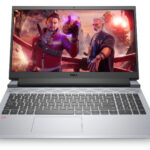
The primary Dell Inspiron models available in 2026 include the Inspiron 14, Inspiron 15, Inspiron 16, and Inspiron 16 Plus series. None of these current models include optical drives as standard equipment. The trend toward thinner, lighter designs with larger batteries and better cooling systems has made the space occupied by optical drives more valuable for other components.
Note: While no current Dell Inspiron models include built-in CD drives, external USB CD/DVD drives are widely available and affordable, providing a simple solution for users who need optical drive functionality.
Why Optical Drives Were Removed
The removal of CD/DVD drives from laptops, including Dell Inspiron models, happened gradually over the past decade. Several factors contributed to this change:
1. Digital Distribution: Software, games, music, and movies are now primarily distributed digitally through download services, streaming platforms, and cloud storage. This dramatically reduced the need for physical media.
2. Thinner Designs: Removing the optical drive allowed manufacturers to create thinner, lighter laptops that are more portable and aesthetically pleasing. The optical drive mechanism takes up significant internal space.
3. Larger Batteries: The space freed up by removing optical drives allowed for larger batteries, extending laptop battery life–a feature consumers valued more than optical drive capability.
4. Improved Cooling: Without an optical drive taking up space, manufacturers could design better cooling systems for more powerful components.
5. USB Boot and Installation: Operating systems and software can be easily installed from USB drives, making optical media unnecessary for these tasks.
Which Dell Inspiron Models Had CD Drives
If you’re specifically looking for a Dell Inspiron with a built-in CD drive, you’ll need to consider older models. Here’s a brief history:
| Time Period | Typical Models with CD Drives | Screen Size |
|---|---|---|
| 2015 and earlier | Most Inspiron 15 and 17 models | 15″ and 17″ typically included |
| 2016-2018 | Select Inspiron 15 5000/7000 series | Larger models only |
| 2019-2021 | Very few models, mostly budget 15″ | Occasionally in thick budget models |
| 2022-Present | No current models | N/A |
If you find a new Dell Inspiron with a CD drive for sale in 2026, it’s likely old stock from 2021 or earlier. Be aware that older hardware may not support the latest software and operating system requirements.
Alternatives for CD/DVD Content
Even without a built-in optical drive, there are several ways to access CD/DVD content with a modern Dell Inspiron:
1. External USB CD/DVD Drive: The most straightforward solution. These portable drives connect via USB and function just like built-in drives. They’re affordable, compact, and don’t require installation.
2. Digital Downloads: Most software that was previously distributed on CD/DVD is now available for download. Check the software manufacturer’s website for digital download options.
3. Cloud Storage: Many applications and files can be accessed through cloud services. If you have CD/DVD content you need regularly, consider ripping it to digital files and storing them in the cloud.
4. Network Sharing: If another computer has an optical drive, you can share the drive over your network and access CD/DVD content remotely.
Tip: If you have old software installation CDs, check if the manufacturer offers digital downloads. Many companies have transitioned to digital distribution and may provide free downloads of software you previously purchased on physical media.
External CD/DVD Drive Options
External USB CD/DVD drives are widely available and offer several advantages:
Portability: External drives are small and lightweight, easily fitting in a laptop bag. You can carry one with you and use it with any computer that has a USB port.
Compatibility: External drives work with virtually any computer, including Dell Inspiron laptops, MacBooks, and desktops. They’re plug-and-play on Windows 10/11, typically requiring no additional drivers.
Affordability: Basic external CD/DVD drives are available for $20-40. Blu-ray drives cost more but provide additional functionality.
Features: Many external drives include burning capabilities, allowing you to create CDs and DVDs as well as read them.
When choosing an external drive, consider whether you need CD-only, DVD, or Blu-ray support. Most modern external drives support CD and DVD reading and writing, with Blu-ray as an optional upgrade.
Installing Software Without a CD Drive
If you need to install software from a CD/DVD on your Dell Inspiron, here are your options:
1. Use an External Drive: Connect an external USB CD/DVD drive and install directly from the disc. This is the most straightforward method.
2. Create a Digital Image: If you have access to another computer with an optical drive, create an ISO image of the disc and transfer it to your Dell Inspiron. Windows 11 can mount ISO files natively.
3. Download from Manufacturer: Check if the software manufacturer offers a digital download version. Many do, sometimes for free if you have a valid license key from your physical copy.
4. Use a Network Drive: If you have another computer with an optical drive on the same network, share the drive and access the CD/DVD content over the network.
Backing Up CD/DVD Content
If you have important content on CDs or DVDs that you want to preserve, consider creating digital backups:
Ripping CDs: For music CDs, use Windows Media Player, iTunes, or specialized ripping software to convert tracks to MP3, FLAC, or other digital formats. For data CDs, copy the contents to your hard drive or cloud storage.
Ripping DVDs: Movie DVDs can be ripped using software like HandBrake or MakeMKV. Be aware of copyright laws in your jurisdiction–ripping copyrighted movies may be illegal in some areas.
Creating ISO Images: For software installation discs, creating an ISO image preserves the exact disc structure, allowing you to mount it virtually and install software just as you would from the physical disc.
Did You Know? Optical discs can degrade over time, especially if stored improperly. Creating digital backups of important CD/DVD content ensures long-term access even if the physical media becomes damaged or unreadable.
USB Options for Optical Media
For Dell Inspiron users who occasionally need CD/DVD access, USB-based solutions offer the best balance of convenience and functionality:
USB-C External Drives: Many modern Dell Inspiron laptops include USB-C ports. USB-C external drives offer faster data transfer and may not require separate power, as they can draw sufficient power from the USB-C connection.
USB 3.0 External Drives: Compatible with both USB-A and USB-C ports (with adapters), USB 3.0 drives provide fast data transfer speeds for optical media.
Multi-Function Hubs: Some USB hubs include optical drives alongside other ports, providing a all-in-one solution for expanding your laptop’s connectivity.
For more information about expanding your laptop’s capabilities, check out our guide on how to install an old SSD in a new PC. If you’re looking to upgrade your storage, also read about whether you need SATA cables for SSD.
Frequently Asked Questions
Do any Dell Inspiron laptops have CD drives in 2026?
No, current Dell Inspiron models do not include built-in CD/DVD drives. The last Inspiron models with optical drives were produced around 2019-2021. If you need CD/DVD functionality, an external USB drive is the recommended solution.
Can I add a CD drive to my Dell Inspiron?
Most modern Dell Inspiron laptops don’t have space for internal optical drives due to their thin designs. External USB CD/DVD drives are the best option for adding optical drive functionality to your laptop.
What can I do with old software CDs?
Check if the software is available for digital download from the manufacturer. You can also create an ISO image of the disc using another computer with an optical drive, then transfer the image to your Dell Inspiron for installation.
Are external CD drives compatible with Dell Inspiron?
Yes, external USB CD/DVD drives are compatible with all Dell Inspiron laptops. They’re plug-and-play on Windows 11 and typically require no additional drivers. USB-C and USB 3.0 connections are both supported.
Can I play DVDs on my Dell Inspiron?
Not with the built-in hardware, but you can use an external USB DVD drive. Windows 11 doesn’t include DVD playback software by default, but you can use third-party software like VLC Media Player or the paid Windows DVD Player app.
Why did Dell remove CD drives from Inspiron laptops?
Dell removed optical drives to create thinner, lighter laptops with larger batteries and better cooling. Digital distribution has made physical media less necessary, and consumers prioritize portability and battery life over optical drive functionality.
Is it worth buying an external CD drive?
If you occasionally need to access CD/DVD content, an external drive is an affordable and convenient solution. Basic models cost $20-40 and can be used with any computer. If you rarely need optical media, you might borrow one or use alternative methods like digital downloads.
How do I install Windows from a USB drive?
Download the Windows Media Creation Tool from Microsoft’s website, create a bootable USB drive, and boot from it to install Windows. This method is faster and more reliable than installing from a CD/DVD.
Can I rip my music CDs before getting rid of my old computer?
Yes, you can use Windows Media Player, iTunes, or other ripping software to convert CD tracks to digital formats like MP3 or FLAC. This creates digital copies of your music that you can play on any device without needing a CD drive.
For more information about storage upgrades, explore our article on how to replace HDD with SSD in Dell laptop.