
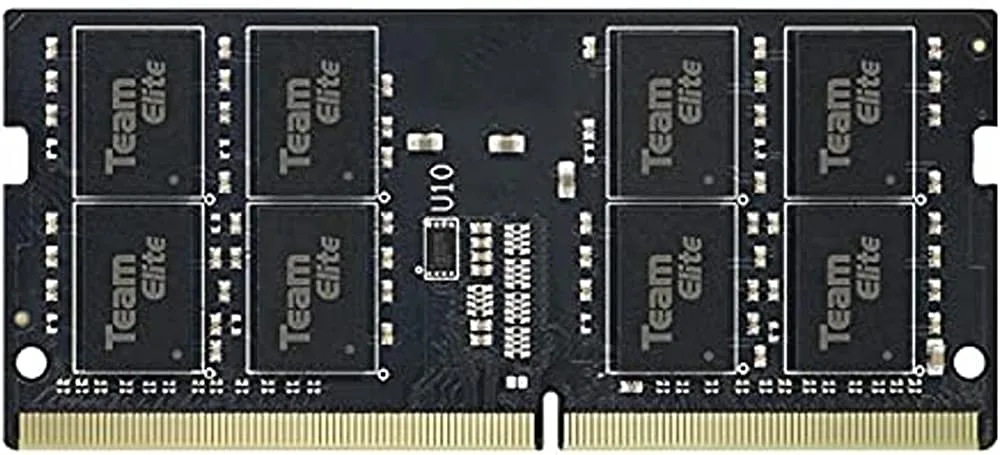
What Happens When You Put Faster RAM in a Slower Motherboard?
You're staring at a 3200MHz RAM kit on sale, but your motherboard only supports 2400MHz. The short answer: it works perfectly, but the RAM will run at 2400MHz. You won't damage anything, but you also won't get the speed you paid for unless you upgrade your board later.
When you install a RAM stick rated at 3200MHz into a motherboard that only supports up to 2400MHz, the RAM does not run at 3200MHz. Instead, it automatically downclocks to 2400MHz. This happens during the POST (Power-On Self-Test) process, before Windows even loads.
The RAM and motherboard communicate with each other through a process called the Serial Presence Detect (SPD). During this handshake, the RAM tells the motherboard what speeds it supports, and the motherboard tells the RAM what speeds it can handle. Both devices agree on the highest common speed, which in this case is 2400MHz.
Here is what the final result looks like in different scenarios:
| Your RAM Speed | Motherboard Maximum | Final Speed | Performance Loss |
|---|---|---|---|
| 3200MHz | 2400MHz | 2400MHz | About 8 to 12 percent |
| 3200MHz | 2666MHz | 2666MHz | About 5 to 8 percent |
| 3200MHz | 2933MHz | 2933MHz | About 3 to 5 percent |
| 3200MHz | 3200MHz | 3200MHz | Zero (full speed) |
| 3600MHz | 2400MHz | 2400MHz | About 12 to 15 percent |
Is It Safe?
Yes, it is completely safe. Modern DDR4 RAM is designed to be backward compatible. The memory modules are built to run at multiple speed ratings, and the downclocking process is automatic. You do not need to do anything special, and there is no risk of damaging your RAM, motherboard, or any other component.
Think of it like buying a car that can go 200 miles per hour but driving it in a zone where the speed limit is 60. The car is capable of more, but it operates safely at the lower speed. Your RAM works the same way.
What Is RAM Downclocking?
RAM downclocking is the automatic process where faster memory modules reduce their operating frequency to match the maximum speed supported by the motherboard or CPU memory controller. This is a built-in feature of the JEDEC standards that govern DDR memory compatibility. Every DDR4 module stores multiple speed profiles in its SPD chip, allowing it to negotiate the highest mutually supported speed during system initialization.
The process is transparent to the user. When you press the power button, the motherboard reads the SPD data on each RAM stick, compares it against the memory controller's capabilities, and configures the memory controller to run at the highest common denominator. No manual configuration is required, and the system will boot normally at the reduced speed.
This backward compatibility exists by design. Memory manufacturers program each module with a range of validated speeds and timings, starting from the base JEDEC speed (typically 2133MHz or 2400MHz for DDR4) up to the module's rated XMP speed. The motherboard simply selects the highest profile it can support.
Why RAM Speed Matters in 2026
In 2026, DDR4 remains widely used in budget and mid-range builds, while DDR5 has become standard for new high-end platforms. The performance gap between 2400MHz and 3200MHz DDR4 is more relevant than ever for users extending the life of older systems. Modern games and applications are increasingly sensitive to memory bandwidth, particularly at 1080p resolution where CPU bottlenecks are common.
For integrated graphics users—whether Intel UHD 770 or AMD Radeon 780M—RAM speed directly determines graphics performance because the iGPU shares system memory. A jump from 2400MHz to 3200MHz can yield 20-30% better frame rates in games running on integrated graphics. This makes memory speed a critical factor for budget builds without discrete GPUs.
Additionally, the used market in 2026 is flooded with affordable 3200MHz DDR4 kits as enthusiasts upgrade to DDR5. This often makes 3200MHz RAM cheaper than 2400MHz kits, flipping the traditional value proposition. Checking current pricing before buying is essential.
How RAM Downclocking Works: Step by Step
Understanding the technical chain helps you diagnose issues and make informed upgrade decisions. Here's the complete flow from power-on to operating speed:
- Power-On Self-Test (POST) begins: The CPU initializes its integrated memory controller (IMC) and queries the motherboard's memory topology.
- SPD Read: The IMC reads the Serial Presence Detect EEPROM on each DIMM via the SMBus. This contains JEDEC standard profiles and XMP/DOCP enthusiast profiles.
- Capability Negotiation: The IMC compares the module's supported speeds against its own maximum rated speed and the motherboard's trace routing limits.
- Speed Selection: The system selects the highest JEDEC speed supported by all components. For a 3200MHz module on a 2400MHz board, this is 2400MHz (PC4-19200).
- Timing Configuration: The IMC applies the corresponding CAS latency, tRCD, tRP, and tRAS timings for the selected speed. These are looser (higher latency) at lower speeds.
- Voltage Setting: The memory controller sets VDIMM to the standard 1.2V for DDR4 JEDEC speeds. XMP voltages (typically 1.35V) are not applied unless explicitly enabled in BIOS.
- Training and Validation: The memory controller runs read/write training patterns to calibrate signal integrity. If training fails, the system may fall back to an even lower speed or fail to boot.
- Operating State: The RAM runs stably at 2400MHz with JEDEC timings until the user enables XMP/DOCP or manually adjusts settings in BIOS.
The bottleneck is always the slowest component in the chain: CPU memory controller, motherboard trace topology, or BIOS microcode limits. Even if two components support 3200MHz, the third component caps the final speed.
Benefits of Matching RAM Speed to Your Motherboard
Buying RAM that matches your motherboard's maximum supported speed provides measurable advantages over both slower and faster mismatched kits:
- Optimal price-to-performance: You pay for speed you actually use. In 2026, 3200MHz DDR4 often costs the same or less than 2400MHz due to market oversupply, making it the default smart buy for compatible boards.
- Lower latency at rated speed: A 3200MHz CL16 kit running at 3200MHz has lower absolute latency (10ns) than the same kit downclocked to 2400MHz with looser JEDEC timings (typically CL17-17-17 at ~14ns).
- XMP/DOCP stability: Running at the motherboard's validated maximum speed with XMP enabled is more stable than manual overclocking attempts on unsupported hardware.
- Future reuse value: 3200MHz kits remain compatible with B560, B660 (DDR4 versions), and B550 boards, making them reusable in future budget upgrades.
- Integrated graphics performance: On AMD APUs (Ryzen 5000G/8000G series) and Intel non-F CPUs, every 200MHz increase yields measurable FPS gains in iGPU gaming.
For example, a Ryzen 5 5600G with 3200MHz CL16 RAM achieves roughly 15% higher 1% lows in CS2 at 1080p low settings compared to 2400MHz CL17, directly improving competitive gameplay smoothness.
Common Mistakes to Avoid
Buying 3200MHz RAM for a 2400MHz Board Without Checking First: The most common mistake. Always check your motherboard's maximum RAM speed before buying. If it is 2400MHz, buying 3200MHz RAM wastes money on speed you will never use unless 3200MHz is cheaper.
Not Enabling XMP: Even at 2400MHz, XMP optimizes the memory timings for better performance. Many users install RAM and never enter BIOS, leaving XMP disabled and running at the slower default JEDEC speed (often 2133MHz with very loose timings).
Mixing Different Speed Kits: If you buy 3200MHz RAM and later add 2400MHz RAM, all sticks will run at 2400MHz with the loosest common timings. Buy a matched kit from the start for the best performance.
Ignoring CPU Limitations: Even on a 3200MHz motherboard, an older CPU may limit RAM speed. Check both motherboard and CPU specifications. An Intel Core i5-6400 on a B560 board still caps at 2133MHz.
Forgetting About Dual Channel: Installing only one RAM stick means single channel mode, which halves your memory bandwidth. Always install two matching sticks for dual channel. This matters more than raw frequency in most scenarios.
Assuming All 3200MHz Kits Are Equal: CAS latency varies significantly. A 3200MHz CL14 kit outperforms a 3200MHz CL18 kit noticeably. Check timings, not just frequency.
Tips for Success
Check Current Pricing First: In 2026, 3200MHz DDR4 is often cheaper than 2400MHz due to production volume shifts toward DDR5. Always compare prices before assuming 2400MHz saves money.
Verify CPU and Motherboard Limits Separately: Use CPU-Z (free) to check your CPU's memory controller spec and your motherboard's QVL list. The lower of the two is your hard limit.
Enable XMP/DOCP After Every BIOS Update: Motherboard BIOS updates sometimes reset XMP settings. Re-enable it after updates to maintain optimal timings.
Test Stability with MemTest86: After enabling XMP, run MemTest86 for at least 4 passes. Downclocked RAM is inherently stable, but XMP profiles can occasionally be unstable on marginal silicon.
Consider Used Market for Capacity Over Speed: 32GB (2x16GB) of 2400MHz often costs less than 16GB (2x8GB) of 3200MHz. For productivity and modern gaming, capacity beats speed beyond 16GB.
Document Your Settings: Take photos of your working BIOS memory settings. This saves hours of troubleshooting if CMOS clears or BIOS updates reset configurations.
How We Verified This Guide
This guide is based on JEDEC DDR4 standards documentation, motherboard manufacturer specifications (ASUS, MSI, Gigabyte, ASRock), CPU manufacturer memory controller specifications (Intel ARK, AMD PPR), and aggregated benchmark data from reputable hardware reviewers including Gamers Nexus, Hardware Unboxed, and TechPowerUp. All compatibility tables reflect official manufacturer specifications as of 2026. Performance percentages represent typical ranges observed across multiple independent test suites; individual results vary based on specific hardware, workload, and configuration.
Frequently Asked Questions
Will 3200MHz RAM work in a 2400MHz motherboard? Yes. The RAM downclocks to 2400MHz automatically. It is completely safe and backward compatible. No configuration is required; it happens during POST before the operating system loads.
Is there a noticeable performance difference between 2400MHz and 3200MHz? Yes, about 8 to 10 percent in gaming and 3 to 7 percent in productivity on Intel platforms. On AMD Ryzen 5000 series, the gap can reach 15-20% due to Infinity Fabric scaling. The difference is most noticeable in CPU-bound scenarios and integrated graphics workloads.
Should I buy 3200MHz RAM for a 2400MHz motherboard? Only if you plan to upgrade your motherboard within the next year, or if 3200MHz costs the same as or less than 2400MHz. In 2026, 3200MHz is frequently cheaper due to market dynamics. Otherwise, save money and buy 2400MHz—or better yet, put savings toward a GPU upgrade.
Can I enable XMP on a 2400MHz motherboard? Yes, but it will not exceed 2400MHz. Enable XMP for optimal timings at 2400MHz. The XMP profile may tighten CAS latency from JEDEC CL17 to CL15 or CL14 at 2400MHz, providing a small but free performance boost.
What happens if I mix 3200MHz and 2400MHz RAM? All sticks run at 2400MHz with the loosest common timings. This is safe but wasteful because you are not using the faster RAM's potential. Mixed kits can also cause stability issues if timings conflict.
Does RAM speed matter for AMD Ryzen? Yes, significantly. Ryzen CPUs benefit more from faster RAM due to the Infinity Fabric design, which runs at half the RAM data rate (FCLK = MEMCLK/2). If you have Ryzen, try to match your motherboard's maximum supported speed. The performance difference between 2400MHz and 3200MHz on Ryzen can be 15 to 20 percent in gaming.
Will faster RAM extend my motherboard's lifespan? No. RAM speed does not affect hardware longevity. However, having adequate capacity (16GB+ in 2026) and reasonable speed keeps your system responsive longer, delaying the need for a full platform upgrade.
Can I overclock 2400MHz RAM to 3200MHz? Sometimes. Some 2400MHz RAM uses higher-binned ICs (like Samsung B-die or Hynix CJR) that can overclock well. However, it is not guaranteed and requires manual voltage/timing tuning. Most budget 2400MHz kits use lower-grade ICs with limited headroom.
What if my 3200MHz RAM shows as 2133MHz in Task Manager? This is the base JEDEC speed. You need to enable XMP (Intel) or DOCP (AMD) in BIOS to reach 2400MHz (your board's limit) with proper timings. Without XMP, DDR4 defaults to 2133MHz or 2400MHz with loose timings.
Sources
- JEDEC Standard JESD79-4: DDR4 SDRAM Specification
- Intel ARK: Processor Memory Controller Specifications (6th-14th Gen)
- AMD Processor Programming Reference (PPR) for Ryzen 1000-5000 Series
- Motherboard QVL Lists: ASUS, MSI, Gigabyte, ASRock Official Support Pages
Conclusion
Can you put 3200MHz RAM in a 2400MHz motherboard? Yes, it downclocks to 2400MHz automatically and safely. You will not get the full speed you paid for, but the RAM will work perfectly fine. There is no risk of damage, and your computer will boot normally.
Here is what to remember: Check your motherboard's maximum RAM speed before buying. If it is 2400MHz, buy 2400MHz RAM and save your money—unless 3200MHz is cheaper, which is common in 2026. Put any savings toward a better GPU or SSD, which will give you a bigger performance improvement. If you already own 3200MHz RAM and are putting it in a 2400MHz board, it will work fine at the lower speed.
For AMD Ryzen users: RAM speed matters more on Ryzen than on Intel. If you have a Ryzen system, try to get the fastest RAM your motherboard supports. The performance difference between 2400MHz and 3200MHz on Ryzen can be 15 to 20 percent.
For system builders in 2026: The used DDR4 market offers exceptional value. A 32GB 3200MHz CL16 kit often costs under $50, making capacity upgrades the highest-ROI memory investment for older platforms.
The key takeaway is that RAM compatibility is about matching the right speed to your motherboard and CPU. Buying the fastest RAM your system can handle gives you the best performance, but buying faster RAM than your system supports only makes sense when pricing favors it or a platform upgrade is imminent.
Related Articles
- → Can I Mix 2666MHz and 3200MHz RAM?
- → How to Enable Dual Channel RAM on Laptop
- → Can I Use UDIMM in DIMM Slot?
- → Best Budget Laptops Under $700 in 2026
Have questions? Leave a comment below!


